If you've spent time in the Human Risk Command Center, you’ve probably had questions about why your organization's risk score is what it is, or why a specific user is high-risk and another isn’t. Questions like: What moved the organization's risk score last month? How does the platform actually calculate all of this?
These questions are valid, and the good news is, there's now an answer built directly into the Human Risk Command Center — a full view of what's behind every Human Risk Score, with interactive simulations that let you model what it takes to influence scores for individuals and the organization, as well as a day-by-day simulator that shows exactly how individual scores shift as events unfold.
Each of those capabilities is embedded throughout your Command Center navigation, just a click or two away. Here's what you'll find.
Scores you can explain
Organization risk score
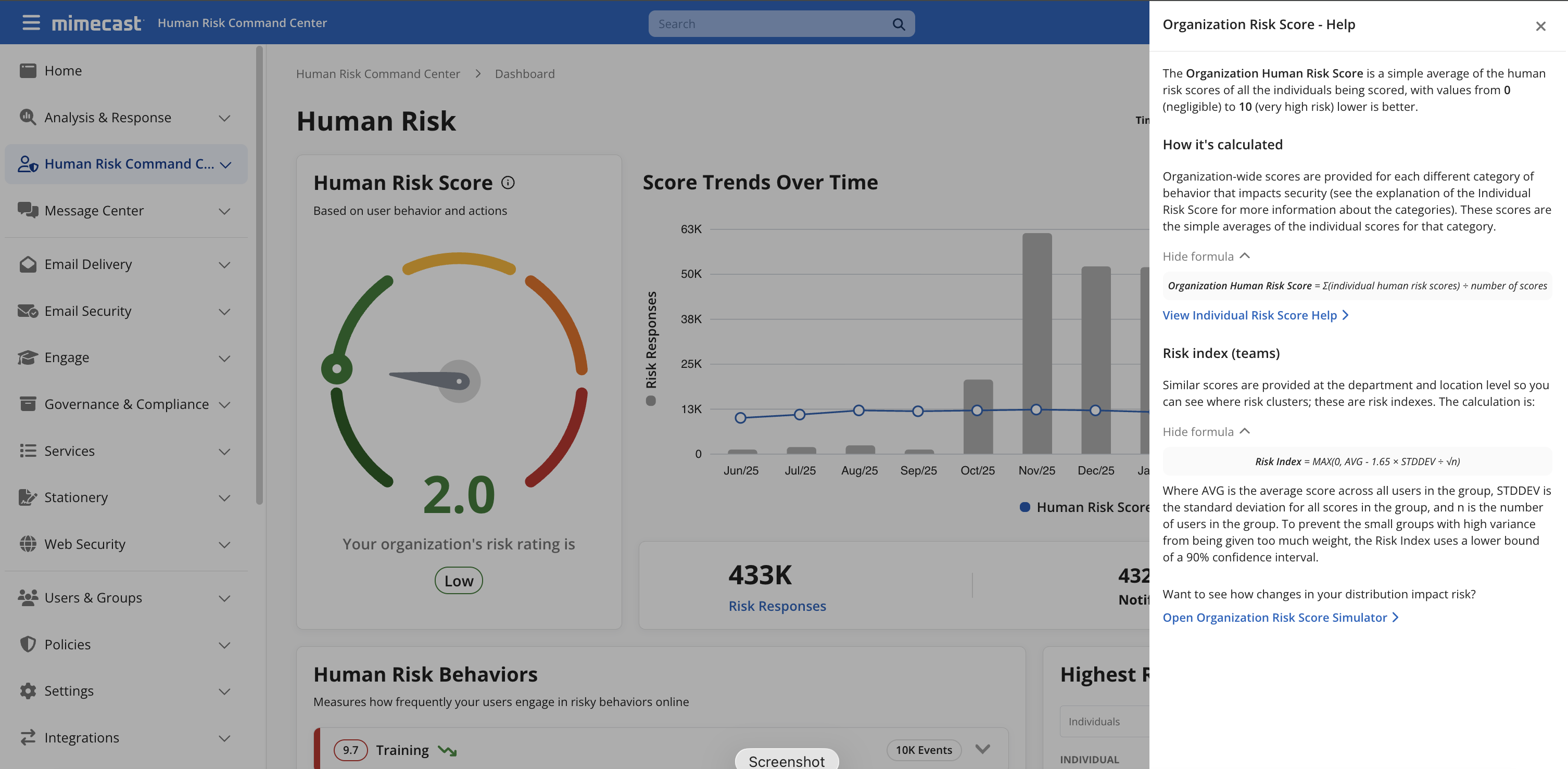
The organization risk score explanation is accessible from the Human Risk Score card on the Command Center Dashboard. It breaks down how the overall score is derived from individual scores across your user base, and how department-, and location-level, risk indexes are calculated. If you've ever wondered why your finance department sits at a higher risk index than the rest of the organization, the answer is right there — you no longer need to go digging through help articles and documentation.
Individual risk score
The Command Center now surfaces the full scoring methodology directly in the product. Click through from the Human Risk Score card on the Dashboard or an Individual Risk Profile, and you'll find a plain-language breakdown of exactly how the score is built — the five behavioral categories (Actual Phishing, Malware, Sensitive Data Handling, Simulated Phishing, and Training), the weight each carries, and how different types of events affect the score over time.
What you see reflects your environment specifically. The categories shown and the scores calculated are based on the Mimecast products you have licensed and the human risk integrations you actually have configured. If you haven't connected an endpoint security vendor, Malware won't factor into your scores. This ensures that the methodology shown is yours, not a generic formula.
So, the next time a manager asks why someone on their team is flagged as high-risk, you have a specific, substantiated answer. Not "the platform flagged them" — but here's what they did, here's how much it weighed, and here's where it sits today.
And when someone senior asks the same question, you're not reaching for an explanation. You already have one.
Model the “what ifs”
Knowing what drives a score is useful, but knowing what it takes to move one is actionable.
Organization risk score simulator
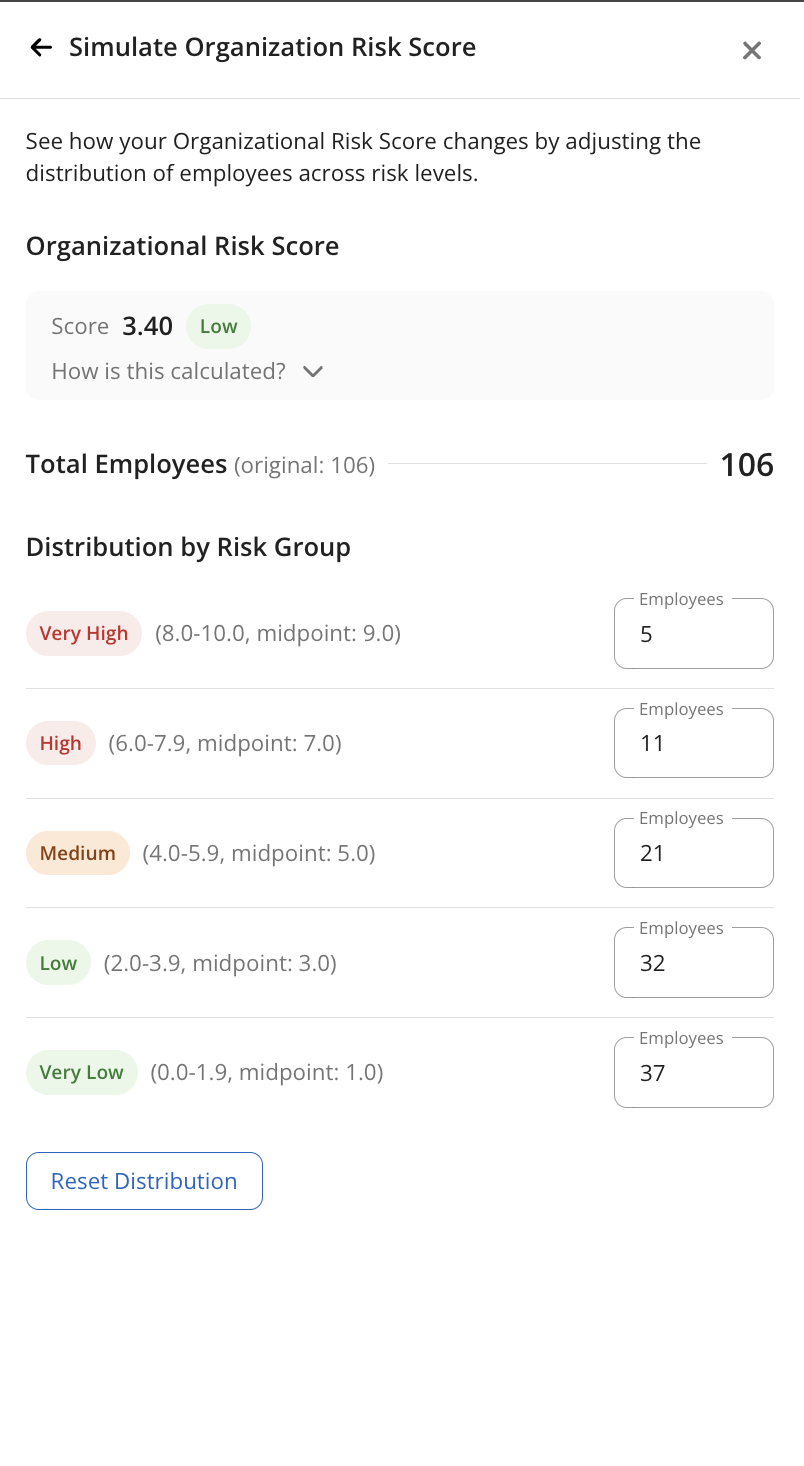
The organization simulator lets you model how changes in your user population affect the overall score. Adjust the distribution of users across risk bands — Very High, High, Medium, Low, Very Low — and the simulator recalculates the organization score in real time.
I find myself curious to simulate things like: how many high-risk users can I have while still keeping the organizational score below a certain threshold? The simulator answers that directly. Instead of asking leadership to trust a number, you can show them exactly what it would take to move it.
Individual risk score simulator
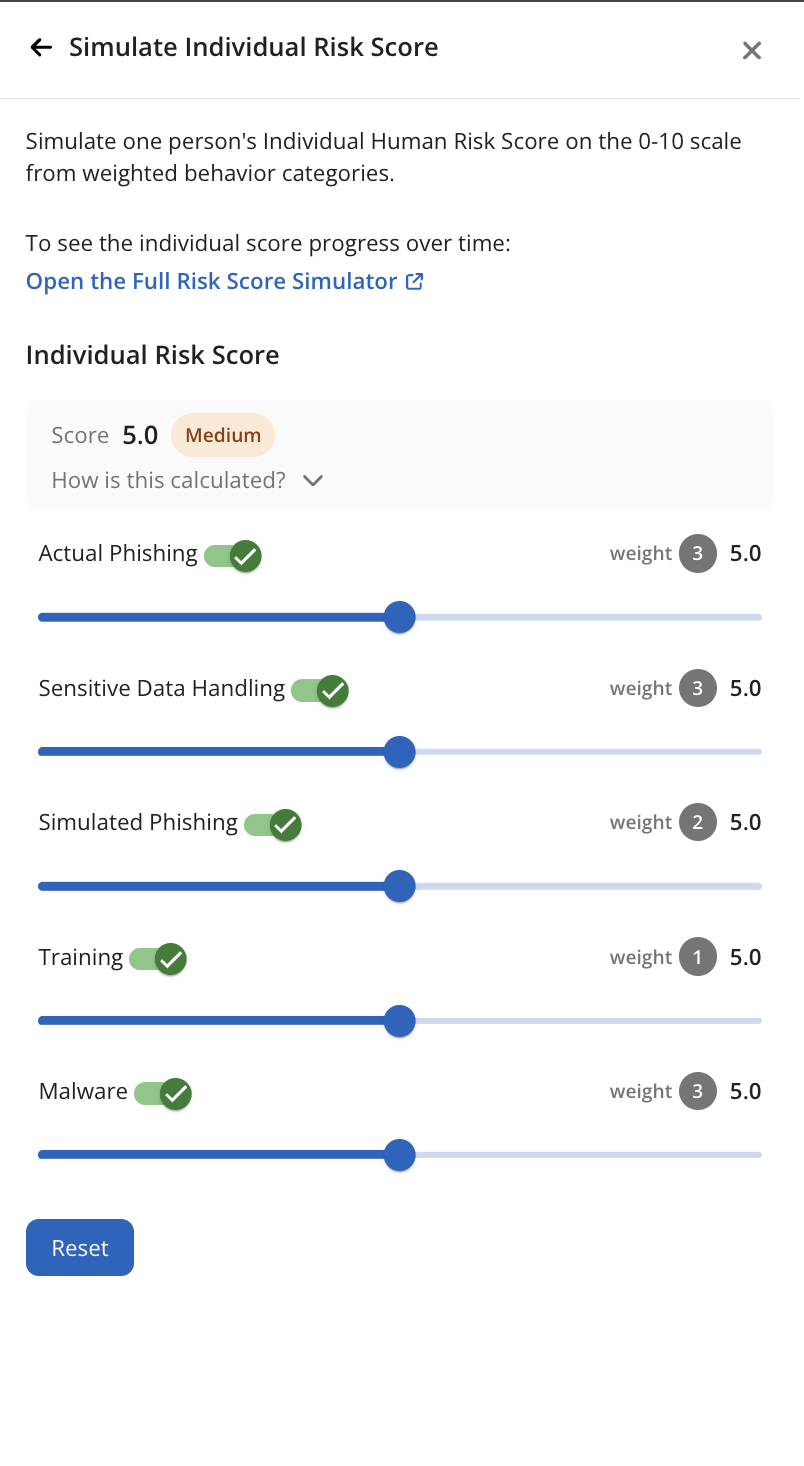
The individual simulator lets you adjust the score for each behavioral category — Actual Phishing, Malware, Sensitive Data Handling, Simulated Phishing, and Training — and see how the weighted result changes in real time. If you're curious how much a user's Malware score is dragging their overall number relative to their Training score, dial them independently and see. It's the clearest way to understand which categories are doing the most work.
Day-by-day simulator
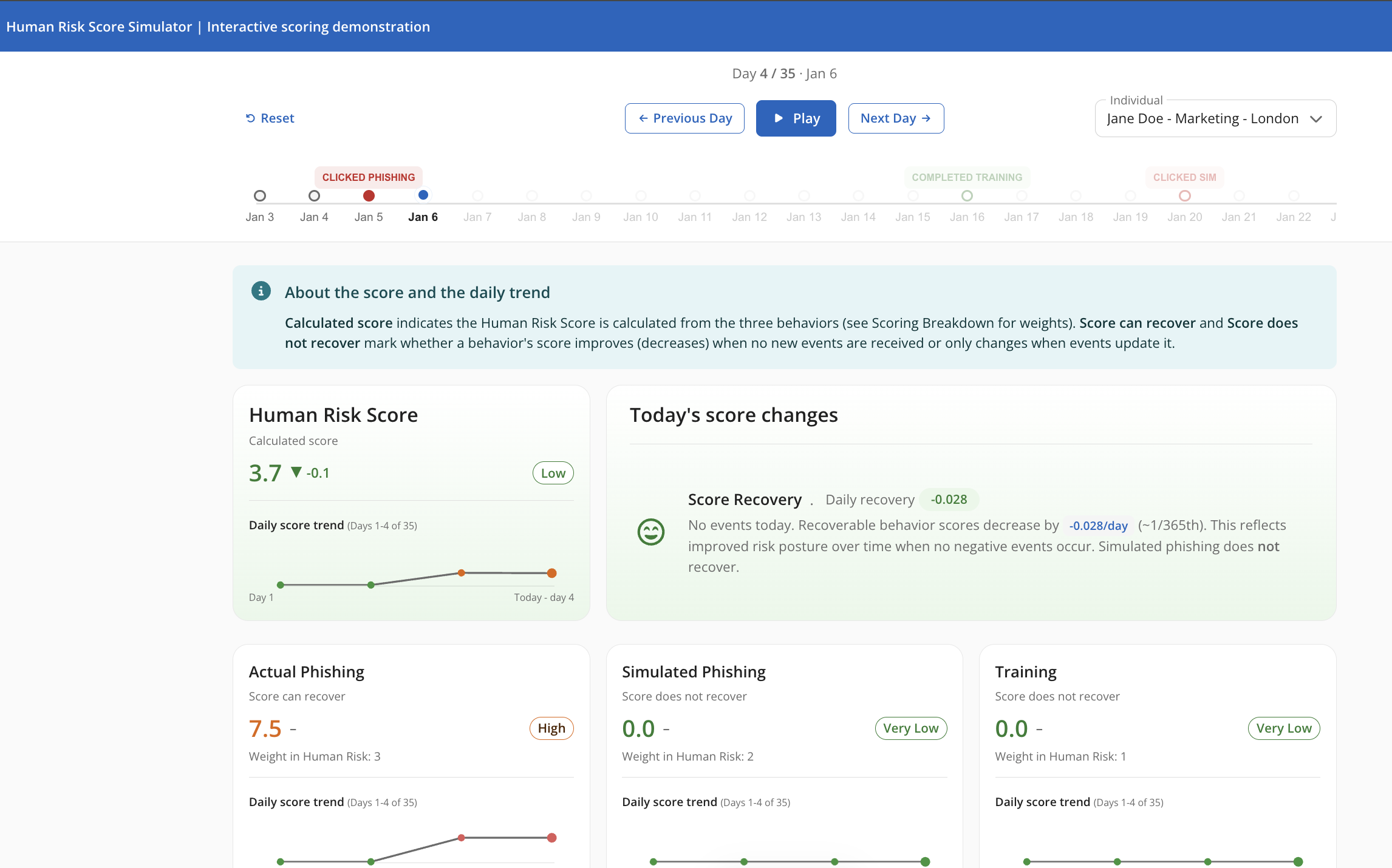
Now for the part that has really impressed people. From within the individual simulation panel, there's also a day-by-day risk score simulator that opens in a new tab. This is where the event-level questions get answered: what happens to a score after a user clicks a real phishing link? How does it recover over the following weeks if no further incidents occur?
The simulator then runs through a calendar timeline — each day, each event, each score change — behaviors weighted and sequenced as they actually would be, with scores changing in real time. It's particularly useful for explaining score movement after the fact, and for showing how recoverable scores like Actual Phishing and Malware decay gradually when no new risky events occur.
If you haven't tried the simulators yet, give them a go! You might be surprised by what you find out about your own organization's risk profile!
If you’re looking for more reading on Human Risk Scoring we still have a Knowledge Base article covering the full methodology. But remember, it’s all available in the product now, no configuration required.
So, the next time someone asks you to explain a score, you'll have an answer ready — or you can show them directly!
Questions or feedback? Drop them in the comments below.